








Game server hosting for the games your group plays
Search our catalogue, see what each game needs and keep your world online for friends or a whole community, from survival and sandbox to shooters, racing and roleplay.
- A catalogue you can search by name, abbreviation and genre
- Size advice per game: players, memory and disk
- 20 game server locations
Popular game servers
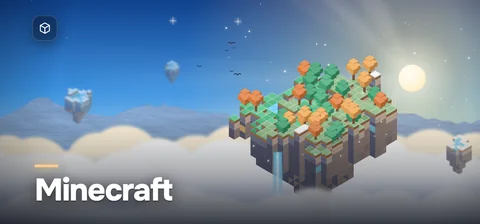
Minecraft
Java and Bedrock worlds with plugins, modpacks or crossplay.
- Players
- 20 by default (Java)
- Memory
- From 2 GB RAM
- Mods
- Paper, Fabric, Forge, NeoForge
Rust
Your wipes, plugins and maps, from small groups to busy communities.
- Players
- Small groups to big communities
- Memory
- From 12 GB RAM
- Mods
- Oxide, Carbon, custom maps
ARK: Survival Ascended
Crossplay worlds with CurseForge mods, clusters and your own rates.
- Players
- Up to 70 per map by default
- Memory
- From 10 GB RAM per map
- Mods
- CurseForge, premium mods
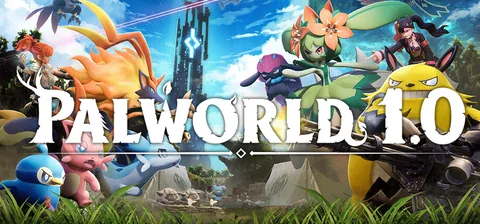
Palworld
Up to 32 players with crossplay and your own rates.
- Players
- Up to 32 players
- Memory
- From 16 GB RAM
- Mods
- Official mods (Windows server)
Valheim
Up to 10 Vikings with crossplay, modifiers and backups.
- Players
- Up to 10 players
- Memory
- From 4 GB RAM
- Mods
- Crossplay or BepInEx
Counter-Strike 2
Competitive, wingman and community servers with Workshop maps.
- Players
- Up to 64 slots
- Memory
- From 2 GB RAM
- Mods
- Workshop maps, CounterStrikeSharp
GTA V (FiveM)
Roleplay and freeroam communities on FiveM with txAdmin.
- Players
- 48 free slots, more with tiers
- Memory
- From 4 GB RAM
- Mods
- ESX, QBCore, Qbox, txAdmin
7 Days to Die
Horde nights with random worlds, modlets and crossplay.
- Players
- 8 by default, crossplay too
- Memory
- From 6 GB RAM
- Mods
- Modlets and overhaul mods
Project Zomboid
Build 42 or 41 with Workshop mods, maps and your sandbox rules.
- Players
- 32 by default
- Memory
- From 6 GB RAM
- Mods
- Workshop mods and maps
Enshrouded
Co-op for up to 16 players with roles, presets and rotating backups.
- Players
- Up to 16 players
- Memory
- From 16 GB RAM
- Mods
- No official mods
Terraria
Vanilla or tModLoader worlds for up to 255 players.
- Players
- Up to 255 players
- Memory
- From 1 GB RAM
- Mods
- tModLoader, TShock
Satisfactory
Co-op factories with Steam and Epic crossplay and your own saves.
- Players
- 4 supported, more via Game.ini
- Memory
- From 8 GB RAM
- Mods
- Satisfactory Mod Manager
All game servers A–Z
See all survival serversSee all sandbox serversSee all shooter serversSee all simulation and strategy serversSee all racing serversSee all roleplay serversSee all horror serversSee all action and RPG serversSee all shooter serversSee all co-op and party serversSee all co-op and party serversSee all simulation and strategy serversSee all simulation and strategy serversSee all action and RPG serversSee all shooter serversSee all action and RPG servers
7 Days to Die
Horde nights with random worlds, modlets and crossplay.
- Players
- 8 by default, crossplay too
- Memory
- From 6 GB RAM
- Mods
- Modlets and overhaul mods
Abiotic Factor
Crossplay co-op for 6 scientists, up to 24 at most.
- Players
- 6 recommended, up to 24
- Memory
- From 4 GB RAM
- Mods
- Sandbox settings
After the Fall
- Install size
- 15 GB
- Suggested disk
- 30 GB
Aloft
Floating islands for up to 8 players, listed or by room code.
- Players
- Up to 8 players
- Memory
- From 6 GB RAM
- Mods
- Survival or creative
American Truck Simulator
An always-open Convoy for up to 8 drivers, with your DLCs.
- Players
- Up to 8 drivers
- Memory
- From 2 GB RAM
- Mods
- Map DLCs and mods
Among Us
Your own Among Us region with Impostor, for PC and mobile.
- Players
- 4–15 per lobby
- Memory
- From 512 MB RAM
- Mods
- Impostor plugins
ARK: Survival Ascended
Crossplay worlds with CurseForge mods, clusters and your own rates.
- Players
- Up to 70 per map by default
- Memory
- From 10 GB RAM per map
- Mods
- CurseForge, premium mods
ARK: Survival Evolved
The original ARK with Workshop mods, clusters and Epic crossplay.
- Players
- Slots you choose
- Memory
- From 6 GB RAM per map
- Mods
- Steam Workshop
Arma 3
Unit operations with Workshop mods, keys and headless clients.
- Players
- Slots set by your mission
- Memory
- From 6 GB RAM
- Mods
- Steam Workshop with keys
Arma Reforger
- Install size
- 20 GB
- Suggested disk
- 40 GB
ASKA
A Viking village for up to 4 players that can live on.
- Players
- Up to 4 players
- Memory
- From 6 GB RAM
- Mods
- Keep world alive
Assetto Corsa
League races on acServer or freeroam with AI traffic.
- Players
- One slot per car
- Memory
- From 1 GB RAM
- Mods
- Mod cars and tracks, CSP
Assetto Corsa Competizione
- Install size
- 30 GB
- Suggested disk
- 50 GB
Astro Colony
Co-op colonies and conveyor networks on the official server.
- Players
- Co-op group
- Memory
- From 4 GB RAM
- Mods
- Steam Workshop
Astroneer
Eight explorers instead of four, on a save that stays online.
- Players
- Up to 8 players
- Memory
- From 4 GB RAM
- Mods
- Your own save
Atlas
Your own pirate ocean: a grid of linked servers with Redis.
- Players
- MaxPlayers per cell
- Memory
- From 8 GB RAM
- Mods
- Steam Workshop
Atomfall
- Install size
- 20 GB
- Suggested disk
- 40 GB
Avorion
Your own galaxy with Workshop mods, admins and RCON.
- Players
- 10 by default
- Memory
- From 4 GB RAM
- Mods
- Steam Workshop
Barotrauma
Submarine co-op for up to 16, with Workshop mods and PvP.
- Players
- Up to 16 players
- Memory
- From 2 GB RAM
- Mods
- Steam Workshop
Battlefield 3 (Venice Unleashed)
- Install size
- 25 GB
- Suggested disk
- 50 GB
Battlefield 4
- Install size
- 35 GB
- Suggested disk
- 60 GB
BeamMP (BeamNG.drive)
BeamNG.drive multiplayer with your maps, mods and Lua plugins.
- Players
- You set MaxPlayers
- Memory
- From 1 GB RAM
- Mods
- Vehicle and map mods, Lua
Beyond All Reason
- Install size
- 5 GB
- Suggested disk
- 15 GB
Black Mesa
Half-Life deathmatch reborn on the free official server.
- Players
- Slots you set
- Memory
- From 2 GB RAM
- Mods
- Steam Workshop
Call of Duty 4: Modern Warfare
- Install size
- 8 GB
- Suggested disk
- 20 GB
Call of Duty: Black Ops
- Install size
- 15 GB
- Suggested disk
- 30 GB
Call of Duty: Black Ops 2
- Install size
- 20 GB
- Suggested disk
- 40 GB
Call of Duty: Black Ops 3
- Install size
- 60 GB
- Suggested disk
- 100 GB
Call of Duty: Modern Warfare 2
- Install size
- 15 GB
- Suggested disk
- 30 GB
Call of Duty: Modern Warfare 3
- Install size
- 20 GB
- Suggested disk
- 40 GB
Call of Duty: World at War
- Install size
- 8 GB
- Suggested disk
- 20 GB
Conan Exiles
Enhanced or Legacy, with Workshop mods and your own raid hours.
- Players
- Sized up to 70 players
- Memory
- From 10 GB RAM
- Mods
- Steam Workshop, Dev Kit
Content Warning
- Install size
- 2 GB
- Suggested disk
- 10 GB
Core Keeper
An underground world for up to 8 players, from every PC store.
- Players
- Up to 8 players
- Memory
- From 2 GB RAM
- Mods
- mod.io mods
Counter-Strike 1.6
Classic CS on Valve’s HLDS with AMX Mod X and 32 slots.
- Players
- Up to 32 slots
- Memory
- From 512 MB RAM
- Mods
- AMX Mod X, Metamod
Counter-Strike 2
Competitive, wingman and community servers with Workshop maps.
- Players
- Up to 64 slots
- Memory
- From 2 GB RAM
- Mods
- Workshop maps, CounterStrikeSharp
Counter-Strike: Global Offensive
The final 2023 CS:GO build for LAN events and private matches.
- Players
- You set the slots
- Memory
- From 2 GB RAM
- Mods
- SourceMod, Workshop
Counter-Strike: Source
Surf, bhop, zombie or 5v5 with SourceMod and FastDL.
- Players
- You set the slots
- Memory
- From 1 GB RAM
- Mods
- SourceMod, Metamod:Source
Crab Game
- Install size
- 1 GB
- Suggested disk
- 10 GB
Craftopia
Pocketpair’s dedicated server for an always-on Craftopia world.
- Players
- 7 by default
- Memory
- From 4 GB RAM
- Mods
- Survival or creative
CryoFall
PvE colonies or PvP worlds for hundreds of players.
- Players
- Hundreds per server
- Memory
- From 1.5 GB RAM
- Mods
- Open code, server mods
Cubic Odyssey
A voxel galaxy for up to 20 players that stays online.
- Players
- Up to 20 players
- Memory
- From 4 GB RAM
- Mods
- Server beta
Day of Defeat: Source
Allies against Axis with SourceMod, custom maps and FastDL.
- Players
- You set the slots
- Memory
- From 1 GB RAM
- Mods
- SourceMod, Metamod:Source
Day of Dragons
Dragon survival with your own admins, allowlist and rules.
- Players
- You set the limit
- Memory
- From 4 GB RAM
- Mods
- Admins and allowlist
Day of Infamy
WWII infantry battles in PvP or co-op, with Workshop mods.
- Players
- 32 slots by default
- Memory
- From 2 GB RAM
- Mods
- Steam Workshop
DayZ
PC servers on Chernarus, Livonia or Sakhal with your own loot and mods.
- Players
- Usually 60 players
- Memory
- From 6 GB RAM
- Mods
- Steam Workshop with keys
Deadside
- Install size
- 15 GB
- Suggested disk
- 30 GB
Deceit 2
- Install size
- 10 GB
- Suggested disk
- 20 GB
Devour
- Install size
- 3 GB
- Suggested disk
- 10 GB
Don’t Starve Together
Surface and caves online at once, with Workshop mods.
- Players
- Up to 64 players
- Memory
- From 2 GB RAM
- Mods
- Steam Workshop
Dragonhold
- Install size
- 5 GB
- Suggested disk
- 15 GB
Duckside
- Install size
- 5 GB
- Suggested disk
- 15 GB
Dune: Awakening
- Install size
- 50 GB
- Suggested disk
- 80 GB
Eco
A civilisation with laws and an economy, racing a meteor.
- Players
- You set the limit
- Memory
- From 4 GB RAM
- Mods
- ModKit mods
Empyrion - Galactic Survival
A galaxy for your crew, with Workshop scenarios and playfields.
- Players
- You set the limit
- Memory
- From 8 GB RAM
- Mods
- Workshop scenarios
Enshrouded
Co-op for up to 16 players with roles, presets and rotating backups.
- Players
- Up to 16 players
- Memory
- From 16 GB RAM
- Mods
- No official mods
Euro Truck Simulator 2
An always-on Convoy session for up to 8 drivers.
- Players
- Up to 8 drivers
- Memory
- From 2 GB RAM
- Mods
- Your DLC and mods
Factorio
Headless Factorio 2.0 and Space Age with mods and RCON.
- Players
- No fixed limit
- Memory
- From 2 GB RAM
- Mods
- Mod portal, Space Age
Farming Simulator 22
- Install size
- 20 GB
- Suggested disk
- 40 GB
Farming Simulator 25
- Install size
- 30 GB
- Suggested disk
- 50 GB
The Forest
Co-op survival for eight players with your own difficulty and modes.
- Players
- 8 by default
- Memory
- From 3 GB RAM
- Mods
- No official mods
Forewarned
- Install size
- 5 GB
- Suggested disk
- 15 GB
Foundry
A voxel factory that stays online, with Workshop mods.
- Players
- No hard limit
- Memory
- From 4 GB RAM
- Mods
- Steam Workshop
Foxhole
- Install size
- 10 GB
- Suggested disk
- 20 GB
The Front
Your own PvP or PvE world with your rules and admins.
- Players
- You set the limit
- Memory
- From 6 GB RAM
- Mods
- Launch-time rules
Frozen Flame
Private servers with your own PvE or PvP rules and RCON.
- Players
- 10 in the sample config
- Memory
- From 4 GB RAM
- Mods
- Config rules, RCON
Garry’s Mod
Sandbox, TTT, DarkRP or Prop Hunt with Workshop content.
- Players
- Up to 128 slots
- Memory
- From 2 GB RAM
- Mods
- Workshop, Lua addons
Ground Branch
Tactical co-op for 8 and PvP for 8 versus 8.
- Players
- 8 co-op · 8 v 8 PvP
- Memory
- From 4 GB RAM
- Mods
- Missions, map list
Grounded
- Install size
- 15 GB
- Suggested disk
- 30 GB
GTA V (FiveM)
Roleplay and freeroam communities on FiveM with txAdmin.
- Players
- 48 free slots, more with tiers
- Memory
- From 4 GB RAM
- Mods
- ESX, QBCore, Qbox, txAdmin
GTA: San Andreas Multiplayer
Roleplay or freeroam on open.mp, open to SA-MP 0.3.7.
- Players
- Up to 1000 players
- Memory
- From 1 GB RAM
- Mods
- Pawn scripts, plugins
GTFO
- Install size
- 25 GB
- Suggested disk
- 50 GB
Half-Life 2: Deathmatch
Gravity Gun deathmatch with up to 100 slots and SourceMod.
- Players
- Up to 100 slots
- Memory
- From 1 GB RAM
- Mods
- SourceMod, custom maps
Halo: Combat Evolved (PC)
Classic Halo PC on 1.0.10 for up to 16 players, with SAPP.
- Players
- Up to 16 players
- Memory
- From 1 GB RAM
- Mods
- SAPP, Lua scripts
Halo: Custom Edition
Custom HEK maps for up to 16 players, with SAPP and Lua.
- Players
- Up to 16 players
- Memory
- From 1 GB RAM
- Mods
- Custom maps, SAPP
Hell Let Loose
- Install size
- 25 GB
- Suggested disk
- 50 GB
HumanitZ
Zombie survival 1.0 with PvE or PvP and your own rules.
- Players
- Set in the config
- Memory
- From 4 GB RAM
- Mods
- World settings
Hytale
Server-side mods, backups and per-world rules on Java 25.
- Players
- Limited by CPU and RAM
- Memory
- From 4 GB RAM
- Mods
- Asset packs, Java plugins
Icarus
Open World, missions and outposts for up to 8 players.
- Players
- Up to 8 players
- Memory
- From 8 GB RAM
- Mods
- Prospect import
Insurgency: Sandstorm
Co-op Checkpoint or 14 v 14 versus with mod.io mods.
- Players
- Up to 28 players
- Memory
- From 4 GB RAM
- Mods
- mod.io
The Isle
Evrima servers for up to 100 players, with RCON and a queue.
- Players
- Up to 100 players
- Memory
- From 8 GB RAM
- Mods
- Game.ini rules
Killing Floor 2
Survival, Weekly and Versus with Workshop maps and web admin.
- Players
- 6 Survival · 12 Versus
- Memory
- From 2 GB RAM
- Mods
- Steam Workshop
King Arthur’s Gold
Free medieval CTF, TTH and TDM battles with mods.
- Players
- Up to 32 players
- Memory
- From 512 MB RAM
- Mods
- Mods folder
Last Oasis
Your own realm, with one or several oases and Modkit mods.
- Players
- Up to 100 per oasis
- Memory
- From 6 GB RAM per oasis
- Mods
- Modkit mods
LEAP
Your own large-scale battles with mods and mutators.
- Players
- Mode default or your limit
- Memory
- From 4 GB RAM
- Mods
- User mods, mutators
Left 4 Dead 2
Co-op campaigns and 4v4 Versus with custom VPKs and SourceMod.
- Players
- 4 co-op · 8 Versus
- Memory
- From 1 GB RAM
- Mods
- VPK addons, SourceMod
Lethal Company
- Install size
- 1 GB
- Suggested disk
- 10 GB
Life is Feudal: Your Own
A medieval world for up to 64 players, kept in MariaDB.
- Players
- Up to 64 players
- Memory
- From 6 GB RAM
- Mods
- World settings, GM tools
Longvinter
Your own island with PvE or PvP, tent rules and daily restarts.
- Players
- 32 by default
- Memory
- From 3 GB RAM
- Mods
- Game.ini rules
The Lord of the Rings: Return to Moria
Eight dwarves at a time, with PC and console crossplay.
- Players
- 8 at a time
- Memory
- From 6 GB RAM
- Mods
- World upload, crossplay
Medieval Dynasty
- Install size
- 15 GB
- Suggested disk
- 30 GB
Medieval Engineers
Castles and machines with Workshop mods and your own world.
- Players
- Set with maxPlayers
- Memory
- From 4 GB RAM
- Mods
- Steam Workshop
Minecraft
Java and Bedrock worlds with plugins, modpacks or crossplay.
- Players
- 20 by default (Java)
- Memory
- From 2 GB RAM
- Mods
- Paper, Fabric, Forge, NeoForge
Miscreated
Community survival with Workshop mods, RCON and your rules.
- Players
- 50 by default
- Memory
- From 4 GB RAM
- Mods
- Steam Workshop
Mordhau
Frontline, Horde and duels for up to 64, with mod.io mods.
- Players
- Up to 64 players
- Memory
- From 4 GB RAM
- Mods
- mod.io
Motor Town: Behind the Wheel
- Install size
- 5 GB
- Suggested disk
- 15 GB
Mount & Blade II: Bannerlord
Siege, Captain and Skirmish servers with a web admin panel.
- Players
- Set per game type
- Memory
- From 4 GB RAM
- Mods
- Custom maps
Mount & Blade: Warband
- Install size
- 2 GB
- Suggested disk
- 10 GB
Muck
- Install size
- 500 MB
- Suggested disk
- 10 GB
Multi Theft Auto: San Andreas
Lua-powered roleplay, race and freeroam servers for San Andreas.
- Players
- 32 by default
- Memory
- From 1 GB RAM
- Mods
- Lua resources
Myth of Empires
Custom servers and clusters with battlefields and mods.
- Players
- Set per scene server
- Memory
- From 12 GB RAM
- Mods
- Steam Workshop
Natural Selection 2
Marines against Kharaa, with a commander on each side.
- Players
- Set with -limit
- Memory
- From 2 GB RAM
- Mods
- Steam Workshop
Necesse
Settlements for up to 250 players, with permissions and raids.
- Players
- Up to 250 slots
- Memory
- From 2 GB RAM
- Mods
- Steam Workshop
Night of the Dead
- Install size
- 15 GB
- Suggested disk
- 30 GB
Nightingale
Realms that stay open for up to six Realmwalkers.
- Players
- Up to 6 per realm
- Memory
- From 6 GB RAM
- Mods
- Vanilla server
No More Room in Hell
Co-op zombie survival for eight, with SourceMod.
- Players
- Up to 8 players
- Memory
- From 1 GB RAM
- Mods
- SourceMod, Workshop
No One Survived
- Install size
- 10 GB
- Suggested disk
- 20 GB
Nuclear Option
Air combat missions on rotation, with Workshop support.
- Players
- 16 by default
- Memory
- From 4 GB RAM
- Mods
- Workshop missions
Once Human
- Install size
- 30 GB
- Suggested disk
- 50 GB
Onset
An open-world sandbox run by your own Lua packages.
- Players
- Up to 300 players
- Memory
- From 1 GB RAM
- Mods
- Lua packages
OpenArena
Free arena shooter servers for deathmatch, CTF and more.
- Players
- Up to 64 players
- Memory
- From 512 MB RAM
- Mods
- Custom map packs
OpenTTD
A transport game for up to 15 companies that never stops.
- Players
- Up to 15 companies
- Memory
- From 1 GB RAM
- Mods
- NewGRFs and scripts
Operation: Harsh Doorstop
A free milsim shooter with full Workshop support.
- Players
- Set per server
- Memory
- From 4 GB RAM
- Mods
- Steam Workshop
Outlaws of the Old West
- Install size
- 20 GB
- Suggested disk
- 40 GB
Palworld
Up to 32 players with crossplay and your own rates.
- Players
- Up to 32 players
- Memory
- From 16 GB RAM
- Mods
- Official mods (Windows server)
Path of Titans
- Install size
- 10 GB
- Suggested disk
- 20 GB
Pavlov VR
VR shooter servers with mod.io maps and RCON.
- Players
- Set in Game.ini
- Memory
- From 2 GB RAM
- Mods
- mod.io
Phasmophobia
- Install size
- 15 GB
- Suggested disk
- 30 GB
PixARK
- Install size
- 15 GB
- Suggested disk
- 30 GB
The Planet Crafter
- Install size
- 3 GB
- Suggested disk
- 10 GB
PlateUp!
- Install size
- 2 GB
- Suggested disk
- 10 GB
Portal Knights
An always-on world for four knights, with user groups.
- Players
- Up to 4 players
- Memory
- From 2 GB RAM
- Mods
- No mods
Post Scriptum
50 versus 50 WWII battles, formerly Post Scriptum.
- Players
- 50 versus 50
- Memory
- From 8 GB RAM
- Mods
- Steam Workshop
Project Zomboid
Build 42 or 41 with Workshop mods, maps and your sandbox rules.
- Players
- 32 by default
- Memory
- From 6 GB RAM
- Mods
- Workshop mods and maps
Propnight
- Install size
- 10 GB
- Suggested disk
- 20 GB
Quake 3 Arena
Classic arena deathmatch on ioquake3 with your own game files.
- Players
- 8 by default, up to 64
- Memory
- From 1 GB RAM
- Mods
- fs_game mods, Team Arena
Quake Live
Duel, clan arena and CTF servers with Workshop maps.
- Players
- 16 by default
- Memory
- From 1 GB RAM
- Mods
- Workshop maps, factories
Raft
- Install size
- 5 GB
- Suggested disk
- 15 GB
Ready or Not
- Install size
- 50 GB
- Suggested disk
- 80 GB
RedM (Red Dead Redemption 2)
Wild West roleplay on RedM with txAdmin, VORP or RSG.
- Players
- 48 slots, more with tiers
- Memory
- From 4 GB RAM
- Mods
- txAdmin, VORP, RSG Core
Reign of Kings
Medieval sandbox PvP with guilds, castles and the throne.
- Players
- Set in the server config
- Memory
- From 4 GB RAM
- Mods
- Server-side values
Rend
- Install size
- 15 GB
- Suggested disk
- 30 GB
rFactor 2
League and endurance races with Workshop cars, tracks and AI.
- Players
- Players plus AI
- Memory
- From 4 GB RAM
- Mods
- Workshop cars and tracks
The Riftbreaker
Co-op base building for up to 4 players on Galatea 37.
- Players
- Up to 4 players
- Memory
- From 4 GB RAM
- Mods
- Open Campaign, Story, Survival
RimWorld Together
One shared RimWorld planet with trading, events and backups.
- Players
- Set in ServerConfig.json
- Memory
- From 1 GB RAM
- Mods
- Server mod list
Rising Storm 2: Vietnam
64-player battles with Workshop maps and your own map cycle.
- Players
- 64-player battles
- Memory
- From 4 GB RAM
- Mods
- Workshop maps and mutators
Rising World
A growing voxel world with Java plugins and permission groups.
- Players
- Set in server.properties
- Memory
- From 2 GB RAM
- Mods
- Java plugins
Risk of Rain 2
- Install size
- 5 GB
- Suggested disk
- 15 GB
Rooted
- Install size
- 10 GB
- Suggested disk
- 20 GB
Rust
Your wipes, plugins and maps, from small groups to busy communities.
- Players
- Small groups to big communities
- Memory
- From 12 GB RAM
- Mods
- Oxide, Carbon, custom maps
Saleblazers
Shopkeeping survival for up to 8 players, always open.
- Players
- Up to 8 players
- Memory
- From 4 GB RAM
- Mods
- Presets and custom rules
Satisfactory
Co-op factories with Steam and Epic crossplay and your own saves.
- Players
- 4 supported, more via Game.ini
- Memory
- From 8 GB RAM
- Mods
- Satisfactory Mod Manager
SCP: 5K
- Install size
- 5 GB
- Suggested disk
- 15 GB
Scrap Mechanic
- Install size
- 5 GB
- Suggested disk
- 15 GB
Scum
Private islands with your own loot, wipes and rules.
- Players
- Set with -MaxPlayers
- Memory
- From 8 GB RAM
- Mods
- Loot, economy and quest files
Ship of Fools
- Install size
- 3 GB
- Suggested disk
- 10 GB
Skyrim Together
Skyrim in co-op with password, PvP and load order checks.
- Players
- 2–8 recommended
- Memory
- From 1 GB RAM
- Mods
- Load order check, SKSE
Smalland: Survive the Wilds
A tiny world for up to 10 players, on PC and consoles.
- Players
- Up to 10 players
- Memory
- From 4 GB RAM
- Mods
- World options, crossplay
Sons Of The Forest
An always-on island for up to 8 survivors.
- Players
- Up to 8 players
- Memory
- From 8 GB RAM
- Mods
- Game modes and custom settings
Soulmask
PvE or PvP tribes with Workshop mods and your own multipliers.
- Players
- Set with -MaxPlayers
- Memory
- From 12 GB RAM
- Mods
- Workshop mods
Space Engineers
Persistent worlds with PCU limits, mods and console crossplay.
- Players
- 4 by default, up to 64
- Memory
- From 6 GB RAM
- Mods
- Steam Workshop, mod.io
Squad
100-player battles with layer rotation, admin groups and mods.
- Players
- 100 players
- Memory
- From 8 GB RAM
- Mods
- Steam Workshop mods
Starbound
A shared co-op universe with Workshop mods and admin tools.
- Players
- 8 by default
- Memory
- From 2 GB RAM
- Mods
- Steam Workshop mods
StarRupture
A 4-player co-op base that waits for your crew.
- Players
- Up to 4 players
- Memory
- From 8 GB RAM
- Mods
- Server Management
Stationeers
Your station on the Moon, Mars or Europa, always running.
- Players
- 10 by default
- Memory
- From 8 GB RAM
- Mods
- Workshop, BepInEx
Staxel
A shared farming village with Workshop mods and admin tools.
- Players
- Set with --playerlimit
- Memory
- From 2 GB RAM
- Mods
- Steam Workshop
Stormworks: Build and Rescue
Build and rescue together with up to 32 players and Workshop addons.
- Players
- 32 by default
- Memory
- From 4 GB RAM
- Mods
- Steam Workshop
Stranded Deep
- Install size
- 3 GB
- Suggested disk
- 10 GB
Subsistence
Wilderness survival for up to 32 players, with Workshop mods.
- Players
- Up to 32 players
- Memory
- From 4 GB RAM
- Mods
- Steam Workshop
Sunkenland
Your flooded world online for up to 15 survivors.
- Players
- 3–15 players
- Memory
- From 4 GB RAM
- Mods
- No mods
Survive the Nights
Zombie survival with your own rules, ranks and mods.
- Players
- Set with -mc
- Memory
- From 4 GB RAM
- Mods
- Steam Workshop
Sven Co-op
Co-op maps for up to 32 players, with plugins and map votes.
- Players
- Up to 32 players
- Memory
- From 1 GB RAM
- Mods
- Custom maps, AngelScript
Team Fortress 2
Every TF2 mode with Workshop maps and SourceMod.
- Players
- Up to 32 slots
- Memory
- From 1 GB RAM
- Mods
- Workshop maps, SourceMod
Terraria
Vanilla or tModLoader worlds for up to 255 players.
- Players
- Up to 255 players
- Memory
- From 1 GB RAM
- Mods
- tModLoader, TShock
Unreal Tournament 2004
Onslaught, CTF and Assault on community master servers.
- Players
- 16 by default
- Memory
- From 1 GB RAM
- Mods
- Mutators, custom maps
Unreal Tournament 3
- Install size
- 10 GB
- Suggested disk
- 20 GB
Unreal Tournament 99
Classic UT with the OldUnreal 469 patch and community masters.
- Players
- Set with ?MaxPlayers=
- Memory
- From 512 MB RAM
- Mods
- Mutators, custom maps
Unturned
Survival servers with Workshop maps, RocketMod and OpenMod.
- Players
- Up to 200 players
- Memory
- From 2 GB RAM
- Mods
- Workshop, RocketMod, OpenMod
V Rising
PvP or PvE with your clan size, castle limits and raid hours.
- Players
- Up to 128 players
- Memory
- From 8 GB RAM
- Mods
- Community mods (BepInEx)
Valheim
Up to 10 Vikings with crossplay, modifiers and backups.
- Players
- Up to 10 players
- Memory
- From 4 GB RAM
- Mods
- Crossplay or BepInEx
Vein
Zombie survival with a whitelist, admin menu and HTTP API.
- Players
- Set with MaxPlayers
- Memory
- From 8 GB RAM
- Mods
- No mods yet
Vintage Story
Settlements with mods, roles and a whitelist, always online.
- Players
- 16 by default
- Memory
- From 3 GB RAM
- Mods
- Official ModDB
Void Crew
- Install size
- 10 GB
- Suggested disk
- 20 GB
Voyagers of Nera
Sail and build with up to 10 friends on your own server.
- Players
- Up to 10 players
- Memory
- From 8 GB RAM
- Mods
- No mods
War of Rights
- Install size
- 20 GB
- Suggested disk
- 40 GB
Wobbly Life
- Install size
- 5 GB
- Suggested disk
- 15 GB
World Titans War
- Install size
- 10 GB
- Suggested disk
- 20 GB
Wreckfest
Races and derbies for 24 drivers with your own rotation.
- Players
- Up to 24 drivers
- Memory
- From 2 GB RAM
- Mods
- Steam Workshop
Wreckfest 2
Community races for 24 drivers with playlists and cups.
- Players
- Up to 24 with bots
- Memory
- From 4 GB RAM
- Mods
- Not yet
Wurm Unlimited
Your own Wurm world: Adventure or Creative, PvE or PvP.
- Players
- Set with maxplayers
- Memory
- From 3 GB RAM
- Mods
- Ago’s mod loader
X4: Foundations
- Install size
- 20 GB
- Suggested disk
- 40 GB
Ylands
- Install size
- 5 GB
- Suggested disk
- 15 GB
Zero Hour
- Install size
- 20 GB
- Suggested disk
- 40 GB
Zombie Panic! Source
Survivors against zombies, with Workshop maps and SourceMod.
- Players
- 24 slots by default
- Memory
- From 1 GB RAM
- Mods
- Workshop, SourceMod

































Install sizes come from the game definitions of our server platform. The suggested disk adds room for updates, saves and backups; modpacks and large maps need more.
No game matches your search. Tell us which game you want to host and we will check it.
Ask about a game- DDoS protection
- 20 game server locations
Your game server in three steps
-
Pick your game and size
Find your game in the catalogue and use its size table to choose memory for your players and mods.
-
Choose a location
Pick the one closest to most of your players from our 20 game server locations.
-
Invite your players
We send the server address with your service details. Share it, and your group joins from the game.
Built for groups that play together
One catalogue, every genre
Survival, sandbox, shooters, racing, roleplay and more. Search the catalogue above, filter by genre and open a game to see what its server needs.
Close to your players
Game servers run in 20 locations, so you can keep latency low for your group.
Server types and mod loaders
Minecraft runs as Paper, Purpur, Spigot, Fabric, Forge, NeoForge, Quilt or Bedrock, with Velocity and GeyserMC for networks and crossplay.
MinecraftSize advice for every game
Each game page shows how many players, how much memory and how much disk a server needs, with its sources.
Compare gamesHelp when you need it
Open a support ticket from the client area and follow every reply in one place.
Game server locations
Game servers are offered in 20 locations. The map shows our data centers: pick the one closest to most of your players for the lowest latency.
- New York (US)
- Dallas (US)
- Los Angeles (US)
- Amsterdam (NL)
- Frankfurt (DE)
- Helsinki (FI)
- Istanbul (TR)
- Singapore (SG)
Which setup fits your group?
Three ways to run a game server, and what each one means for you and your players.
| Feature |
Your own PC
Hosting at home
|
Recommended Game server hosting
Ready to play
|
VPS or dedicated server
Full control of the machine
|
|---|---|---|---|
| Availability | |||
| Online when your PC is off | Not included | Included | Included |
| Your home IP address stays privatePlayers connect to the address of the server. When you host at home, they connect to your home connection. | Not included | Included | Included |
| Router port forwardingOpening ports on your router so players from the internet can reach a server inside your home network. | Usually needed | Not needed | Not needed |
| Bandwidth for players | Your home upload | Data center network | Data center network |
| Setup and control | |||
| Game server software | You install and update it | Set up for the game you choose | You install and update it |
| Operating system accessRoot or administrator access to the whole machine, to install anything next to the game. | Included | Focused on the game | Included |
| Mods and plugins | Included | As the game supports | Included |
| Good for | |||
| Best for | Testing with a few friends | Groups and communities that want to play | Admins who run several servers or custom tools |
A general comparison of the three ways to run a game server, not a plan comparison.
More from HyperDC
Frequently asked questions
What is a game server and why rent one?
A game server runs your world or match so players can join it from the game. Renting one keeps it online around the clock, without your PC staying on, without exposing your home connection and with a data center network for your players.
Which games can I host?
Every game in the catalogue above, from Minecraft, Rust and ARK to racing, shooter and roleplay games. Search by name or abbreviation and filter by genre. If your game is missing, send us a message and we will check it.
How much RAM does my game server need?
It depends on the game, the player count, the world size and the mods. Light games such as Terraria run in 1–2 GB, Minecraft communities in 4–6 GB, while ARK: Survival Ascended, Palworld and Rust need 12–16 GB or more. Every game page has a size table with sources.
Can I use mods, plugins and Workshop content?
As far as each game allows. Minecraft uses plugin and mod loaders, Rust uses Oxide or Carbon, ARK: Survival Ascended uses CurseForge, and many Steam games use the Workshop. Each game page explains which mods the server runs and whether players need them too.
Where are your game servers located?
Game servers are offered in 20 locations. Choose the one closest to most of your players: the shorter the distance, the lower the latency in game.
Can players on consoles join?
It depends on the game. Valheim, ARK: Survival Ascended, Palworld and Space Engineers let console players join PC dedicated servers when crossplay is set up, and 7 Days to Die does so within its crossplay rules. Satisfactory and DayZ do not; see each game page.
Can I move my existing world or save?
For most games, yes: worlds and saves are folders or files you can bring to the server. Each game page explains where the files are and what to watch for, such as version changes.
What if my game is not in the catalogue?
Send us a message with the game, your player count and your preferred location. Our team will tell you whether we can host it and what the server needs.
Is there a refund policy for game servers?
Yes, for new customers. Your first order of a game server that our refund policy lists, with a billing term of up to one month, is covered by the standard terms of our refund policy for 30 days; any setup fee is deducted. Renewals, longer billing terms and bulk orders are not covered, and payments in cryptocurrency are final. Read the refund policy for the full conditions.
How do players connect to the server?
We send the server address with your service details. Players add it in the game’s server browser or connect directly, for example with Add Server in Minecraft or the connect command in Counter-Strike 2 and Rust.
Not sure which game or size?
Tell us your game, your player count and where your players are, and our team will recommend a setup.