








Sandbox game servers for worlds you build together
Big builds, redstone machines and space stations deserve a world that is always online. Find your sandbox game, check its server size and invite your friends or your whole community.
- Search by name or abbreviation
- Size advice per game: players, memory and disk
- 20 game server locations
Popular sandbox servers
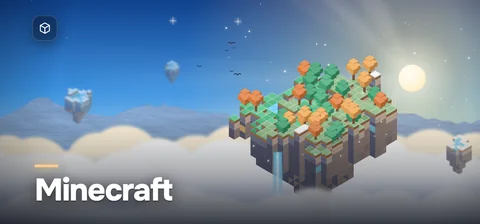
Minecraft
Java and Bedrock worlds with plugins, modpacks or crossplay.
- Players
- 20 by default (Java)
- Memory
- From 2 GB RAM
- Mods
- Paper, Fabric, Forge, NeoForge
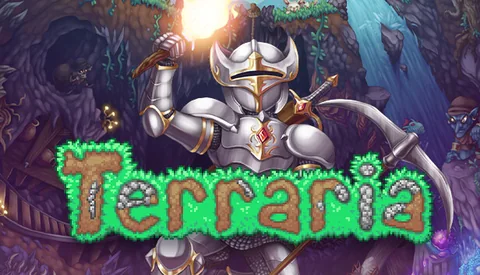
Terraria
Vanilla or tModLoader worlds for up to 255 players.
- Players
- Up to 255 players
- Memory
- From 1 GB RAM
- Mods
- tModLoader, TShock
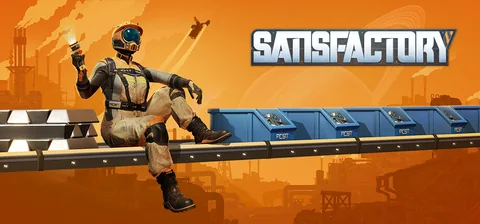
Satisfactory
Co-op factories with Steam and Epic crossplay and your own saves.
- Players
- 4 supported, more via Game.ini
- Memory
- From 8 GB RAM
- Mods
- Satisfactory Mod Manager
Garry’s Mod
Sandbox, TTT, DarkRP or Prop Hunt with Workshop content.
- Players
- Up to 128 slots
- Memory
- From 2 GB RAM
- Mods
- Workshop, Lua addons
All sandbox game servers A–Z
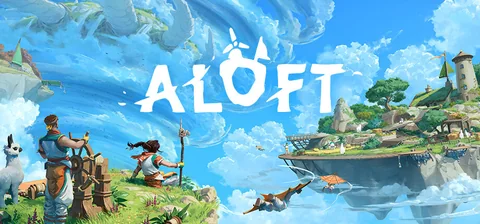
Aloft
Floating islands for up to 8 players, listed or by room code.
- Players
- Up to 8 players
- Memory
- From 6 GB RAM
- Mods
- Survival or creative
Astro Colony
Co-op colonies and conveyor networks on the official server.
- Players
- Co-op group
- Memory
- From 4 GB RAM
- Mods
- Steam Workshop
Astroneer
Eight explorers instead of four, on a save that stays online.
- Players
- Up to 8 players
- Memory
- From 4 GB RAM
- Mods
- Your own save
Avorion
Your own galaxy with Workshop mods, admins and RCON.
- Players
- 10 by default
- Memory
- From 4 GB RAM
- Mods
- Steam Workshop
Core Keeper
An underground world for up to 8 players, from every PC store.
- Players
- Up to 8 players
- Memory
- From 2 GB RAM
- Mods
- mod.io mods
Craftopia
Pocketpair’s dedicated server for an always-on Craftopia world.
- Players
- 7 by default
- Memory
- From 4 GB RAM
- Mods
- Survival or creative
CryoFall
PvE colonies or PvP worlds for hundreds of players.
- Players
- Hundreds per server
- Memory
- From 1.5 GB RAM
- Mods
- Open code, server mods
Cubic Odyssey
A voxel galaxy for up to 20 players that stays online.
- Players
- Up to 20 players
- Memory
- From 4 GB RAM
- Mods
- Server beta
Empyrion - Galactic Survival
A galaxy for your crew, with Workshop scenarios and playfields.
- Players
- You set the limit
- Memory
- From 8 GB RAM
- Mods
- Workshop scenarios
Factorio
Headless Factorio 2.0 and Space Age with mods and RCON.
- Players
- No fixed limit
- Memory
- From 2 GB RAM
- Mods
- Mod portal, Space Age
Foundry
A voxel factory that stays online, with Workshop mods.
- Players
- No hard limit
- Memory
- From 4 GB RAM
- Mods
- Steam Workshop
Garry’s Mod
Sandbox, TTT, DarkRP or Prop Hunt with Workshop content.
- Players
- Up to 128 slots
- Memory
- From 2 GB RAM
- Mods
- Workshop, Lua addons
Hytale
Server-side mods, backups and per-world rules on Java 25.
- Players
- Limited by CPU and RAM
- Memory
- From 4 GB RAM
- Mods
- Asset packs, Java plugins
Longvinter
Your own island with PvE or PvP, tent rules and daily restarts.
- Players
- 32 by default
- Memory
- From 3 GB RAM
- Mods
- Game.ini rules
Medieval Engineers
Castles and machines with Workshop mods and your own world.
- Players
- Set with maxPlayers
- Memory
- From 4 GB RAM
- Mods
- Steam Workshop
Minecraft
Java and Bedrock worlds with plugins, modpacks or crossplay.
- Players
- 20 by default (Java)
- Memory
- From 2 GB RAM
- Mods
- Paper, Fabric, Forge, NeoForge
Necesse
Settlements for up to 250 players, with permissions and raids.
- Players
- Up to 250 slots
- Memory
- From 2 GB RAM
- Mods
- Steam Workshop
Onset
An open-world sandbox run by your own Lua packages.
- Players
- Up to 300 players
- Memory
- From 1 GB RAM
- Mods
- Lua packages
Portal Knights
An always-on world for four knights, with user groups.
- Players
- Up to 4 players
- Memory
- From 2 GB RAM
- Mods
- No mods
Rising World
A growing voxel world with Java plugins and permission groups.
- Players
- Set in server.properties
- Memory
- From 2 GB RAM
- Mods
- Java plugins
Satisfactory
Co-op factories with Steam and Epic crossplay and your own saves.
- Players
- 4 supported, more via Game.ini
- Memory
- From 8 GB RAM
- Mods
- Satisfactory Mod Manager
Scrap Mechanic
- Install size
- 5 GB
- Suggested disk
- 15 GB
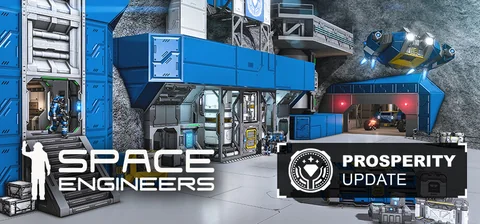
Space Engineers
Persistent worlds with PCU limits, mods and console crossplay.
- Players
- 4 by default, up to 64
- Memory
- From 6 GB RAM
- Mods
- Steam Workshop, mod.io
Starbound
A shared co-op universe with Workshop mods and admin tools.
- Players
- 8 by default
- Memory
- From 2 GB RAM
- Mods
- Steam Workshop mods
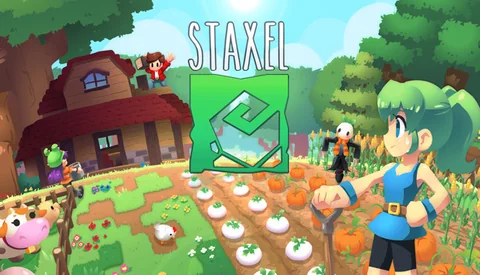
Staxel
A shared farming village with Workshop mods and admin tools.
- Players
- Set with --playerlimit
- Memory
- From 2 GB RAM
- Mods
- Steam Workshop
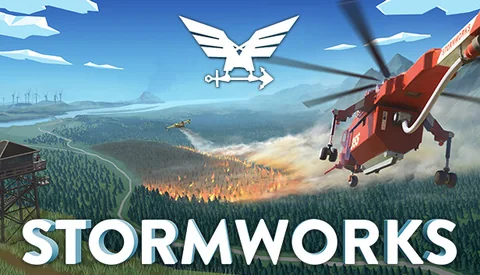
Stormworks: Build and Rescue
Build and rescue together with up to 32 players and Workshop addons.
- Players
- 32 by default
- Memory
- From 4 GB RAM
- Mods
- Steam Workshop
Terraria
Vanilla or tModLoader worlds for up to 255 players.
- Players
- Up to 255 players
- Memory
- From 1 GB RAM
- Mods
- tModLoader, TShock
Unturned
Survival servers with Workshop maps, RocketMod and OpenMod.
- Players
- Up to 200 players
- Memory
- From 2 GB RAM
- Mods
- Workshop, RocketMod, OpenMod
Vintage Story
Settlements with mods, roles and a whitelist, always online.
- Players
- 16 by default
- Memory
- From 3 GB RAM
- Mods
- Official ModDB
Wobbly Life
- Install size
- 5 GB
- Suggested disk
- 15 GB
Wurm Unlimited
Your own Wurm world: Adventure or Creative, PvE or PvP.
- Players
- Set with maxplayers
- Memory
- From 3 GB RAM
- Mods
- Ago’s mod loader
Ylands
- Install size
- 5 GB
- Suggested disk
- 15 GB



Install sizes come from the game definitions of our server platform. The suggested disk adds room for updates, saves and backups; modpacks and large maps need more.
No game matches your search. Tell us which game you want to host and we will check it.
Ask about a game- DDoS protection
- 20 game server locations
What a sandbox server needs
Sandbox worlds have no fixed size: they grow with every player, machine and explored area.
Memory for loaded areas
The server keeps the area around every player loaded. More players spread across the world, and larger view distances, need more memory.
CPU for machines and physics
Farms, contraptions and physics-heavy builds such as ships and rovers are calculated on the server. Busy worlds benefit from fast CPU cores.
Server software and mod loaders
Many sandbox games offer several server types, like Paper, Fabric or NeoForge for Minecraft and tModLoader for Terraria. Pick the one your mods or plugins need.
Worlds that keep growing
Every explored area is saved. Long journeys and pre-generated maps raise the save size, so plan disk space for the world and its backups.
Permissions and whitelists
Whitelists, ranks and protected areas keep a shared world safe. Set them up before you share the address.
Updates and versions
Players usually need the same game version as the server. Wait until your mods support a new version before you update the world.
Server needs at a glance
Players, memory, mods, crossplay and the default port of popular games in this genre. Open a game for its full size table and sources.
| Feature |
Players
Per server
|
Memory
Typical range
|
Mods
How they install
|
Crossplay
Who can join
|
Default port
Game traffic
|
|---|---|---|---|---|---|
| Minecraft | 20 Java · 10 Bedrock (default) | 2–10 GB | Paper, Fabric, Forge, NeoForge | Bedrock via GeyserMC | 25565 TCP |
| Terraria | Up to 255 (16 default) | 1–6 GB | tModLoader, TShock | PC (consoles planned) | 7777 TCP |
| Satisfactory | 4 (more via Game.ini) | 8–16 GB | Community (SMM) | Steam, Epic (PC) | 7777 + 8888 |
| Garry’s Mod | Up to 128 slots | 2–8 GB | Workshop, Lua addons | PC (Windows, macOS, Linux) | 27015 |
| Space Engineers | 4 by default, up to 64 | 6–16 GB | Workshop, mod.io | PC, Xbox, PlayStation | 27016 UDP |
| Core Keeper | 1–8 | 2–6 GB | mod.io (official) | PC stores | Game ID (relay) |
| Unturned | Up to 200 (8 default) | 2–8 GB | Workshop, RocketMod, OpenMod | PC (Steam) | 27015–27016 UDP |
| Factorio | No fixed limit | 2–16 GB | Mod portal, Space Age | PC (Windows, macOS, Linux) | 34197 UDP |
| Hytale | Limited by CPU and RAM | 4–16 GB | Server-side mods | PC (Hytale launcher) | 5520 UDP |
| Starbound | 8 (default) | 2–6 GB | Steam Workshop | Windows, macOS, Linux | 21025 TCP |
| Aloft | Up to 8 | 6–12 GB | Survival or creative | PC (Steam) | Room code |
| Astro Colony | Co-op group | 4–8 GB | Steam Workshop | PC (Steam) | Set by the server |
Starting points from each game’s server documentation, checked in October 2026. Modded servers and big worlds need more memory.
More from HyperDC
Frequently asked questions
How much RAM does a sandbox server need?
Light worlds such as Terraria run in 1–2 GB, Minecraft communities in 4–6 GB, and modpacks or large engineering worlds such as Space Engineers need more. Each game page has a size table with its sources.
Which Minecraft server type should I choose?
Paper or Purpur for plugins, Fabric, Forge or NeoForge for mods, and Bedrock for console and mobile players, or GeyserMC to let them join a Java server. The Minecraft page explains each one.
Can I upload my single-player world to a sandbox server?
In most sandbox games, yes: upload the world folder or save file to the server. Match the game version and the mods of the world, then start the server.
Can friends on other platforms join a sandbox server?
It depends on the game. Minecraft Bedrock players can join a Java server through GeyserMC, and Space Engineers lets console players join PC dedicated servers when crossplay is set up. Each game page lists who can join.
How do I keep a shared world safe from griefing?
Use a whitelist or a password, give admin rights only to people you trust and keep regular backups. On Minecraft, protection plugins add land claims and rollbacks.
Do sandbox servers need a lot of disk?
The game itself is often small, but worlds grow as players explore. Our suggested disk adds room for updates, saves and backups; large maps and modpacks need more.
Planning a server for a big build or a modpack?
Tell us the game, your player count and your mods or plugins, and our team will suggest a starting size.