






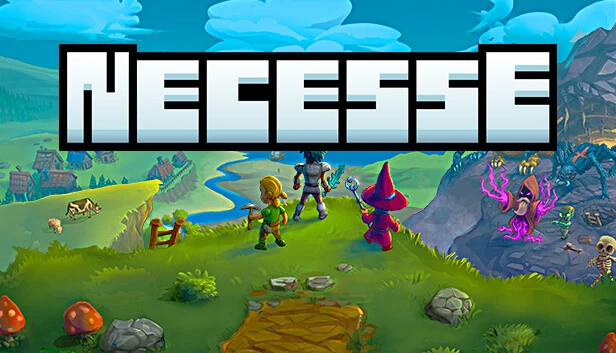
Necesse server hosting for your settlement
Keep your Necesse world running so your friends can explore, fight and grow the settlement whenever they log in. The official dedicated server takes from one to 250 players.
- Official Necesse dedicated server
- From 1 to 250 player slots
- Owner, admin and moderator permissions
- Difficulty, death penalty and raid settings
- PlayersSet the slots at the first start or with -slots.
- 1–250 slots
- Port
- 14159 UDP
- Version
- 1.0 (October 2025)
- Config
- server.cfg and start options
- Permissions
- User, Moderator, Admin, Owner
- Mods
- Steam Workshop
Options
- Up to 250 slots
- Permissions
- Raids
- Death penalty
- Steam Workshop
- Zipped saves
Game facts from the official Necesse wiki and the Steam store page, checked in October 2026.
- DDoS protection
- ۲۰ game server locations
Necesse plans are being prepared
Tell us how many players you expect and whether you bring a world or mods, and our team will reply with the options. Or open a ticket and we will let you know when the plans are online.
How much RAM does a Necesse server need?
A small group needs little. Player count, explored areas and mods raise the load.
Find your size
| Feature |
Small group
Up to 8 players
|
Recommended Community
Up to 30 players
|
Large
Up to 100 players
|
Huge
100+ players
|
|---|---|---|---|---|
| Memory (RAM)Working memory for the world, the players and every mod. Leave headroom: memory use grows as players explore. | 2 GB | 4 GB | 6 GB | 8 GB+ |
| CPU coresThe game simulates the world mostly on one thread, so fast cores matter more than many cores. | 2 | 2 | 3 | 4 |
| Disk spaceRoom for the game files, the world and its backups, plus updates and mods. | 10 GB | 10 GB | 15 GB | 20 GB+ |
| Pause when emptyWith -pausewhenempty the world stops while nobody is online, so crops and raids wait for your players. | Your choice | Your choice | Usually off | Usually off |
| Typical use | Friends on one settlement | A community with several settlements | Public server with many players | Large public server with mods |
-
Small group
Up to 8 players
- Memory (RAM)Working memory for the world, the players and every mod. Leave headroom: memory use grows as players explore.
- 2 GB
- CPU coresThe game simulates the world mostly on one thread, so fast cores matter more than many cores.
- 2
- Disk spaceRoom for the game files, the world and its backups, plus updates and mods.
- 10 GB
- Pause when emptyWith -pausewhenempty the world stops while nobody is online, so crops and raids wait for your players.
- Your choice
- Typical use
- Friends on one settlement
-
Recommended
Community
Up to 30 players
- Memory (RAM)Working memory for the world, the players and every mod. Leave headroom: memory use grows as players explore.
- 4 GB
- CPU coresThe game simulates the world mostly on one thread, so fast cores matter more than many cores.
- 2
- Disk spaceRoom for the game files, the world and its backups, plus updates and mods.
- 10 GB
- Pause when emptyWith -pausewhenempty the world stops while nobody is online, so crops and raids wait for your players.
- Your choice
- Typical use
- A community with several settlements
-
Large
Up to 100 players
- Memory (RAM)Working memory for the world, the players and every mod. Leave headroom: memory use grows as players explore.
- 6 GB
- CPU coresThe game simulates the world mostly on one thread, so fast cores matter more than many cores.
- 3
- Disk spaceRoom for the game files, the world and its backups, plus updates and mods.
- 15 GB
- Pause when emptyWith -pausewhenempty the world stops while nobody is online, so crops and raids wait for your players.
- Usually off
- Typical use
- Public server with many players
-
Huge
100+ players
- Memory (RAM)Working memory for the world, the players and every mod. Leave headroom: memory use grows as players explore.
- 8 GB+
- CPU coresThe game simulates the world mostly on one thread, so fast cores matter more than many cores.
- 4
- Disk spaceRoom for the game files, the world and its backups, plus updates and mods.
- 20 GB+
- Pause when emptyWith -pausewhenempty the world stops while nobody is online, so crops and raids wait for your players.
- Usually off
- Typical use
- Large public server with mods
Fair Games publishes no server hardware figures; these starting points are our estimate. Many players spread across the map keep more of the world loaded and need more memory.
Permissions, world settings and mods
Run the world your way: give your team the right permissions and tune the challenge.
Permission levels
User, Moderator, Admin and Owner. Start the server with -owner and your name, then hand out roles with /permissions set.
World settings
Change difficulty, death penalty and raid frequency in game with /difficulty, /deathpenalty and /raids; list shows the choices.
Password and message of the day
Protect the world with -password and greet players with -motd.
Zipped saves
Each world is saved as a zip with its worldSettings.cfg, which makes backups and moves simple.
Steam Workshop mods
Necesse supports mods from the Steam Workshop. Agree on one mod list with your players before you start.
Kick and ban
Use /kick and /ban, check the list with /bans and lift a ban with /unban.
Set up your Necesse server
Four steps to a settlement that is always open.
-
Pick your slots
Decide how many players you expect, between 1 and 250, and pick a size from the table above.
-
Pick a location
Choose the one closest to your players from our ۲۰ game server locations.
-
Create or bring a world
Start a new world, or upload your world zip to the saves folder and start the server with -world and its name.
-
Join by address
In Multiplayer, add the server with its public address and port 14159, then enter the password if you set one.
Other game servers you might like
Frequently asked questions
How many players can join a Necesse server?
Between 1 and 250. You choose the number of slots at the first start or with the -slots option.
Which port does the server use?
UDP 14159 by default. Start the server with -port to use another one.
How do my friends join?
In Multiplayer they add the server with its public IPv4 address and port 14159. Addresses that start with 192.168 are private and only work inside the same network.
Can I move my existing world to the server?
Yes. Worlds are zip files in the saves folder of your Necesse data, each with its worldSettings.cfg. Copy the zip to the server’s saves folder and start the server with -world and the world name.
How do I become the owner of the server?
Start the server with -owner and your player name: you get owner rights when you join. Then give others User, Moderator or Admin rights with /permissions set, the name and the level.
How do I kick or ban a player?
Use /kick with the player name, or /ban with the name or account. /bans lists the bans and /unban lifts one.
Can I change the difficulty and raids?
Yes, in game. /difficulty, /deathpenalty and /raids change the challenge, and /settings shows the rest; add list to any of them to see the options.
Where are the server settings stored?
In server.cfg in the cfg folder of the server’s Necesse data. Start options such as -password, -motd, -pausewhenempty and -zipsaves set the same things on the command line, and -settings points the server at another file.
Can I use mods?
Yes. Necesse supports mods from the Steam Workshop. Use the same mod list on the server and for every player.
Can the world pause while nobody plays?
Yes. Start the server with -pausewhenempty and the world waits until a player joins.
Ready to grow your settlement?
Tell us your player count and mods, and we will help you pick the right Necesse server.