






Eco server hosting for your civilisation
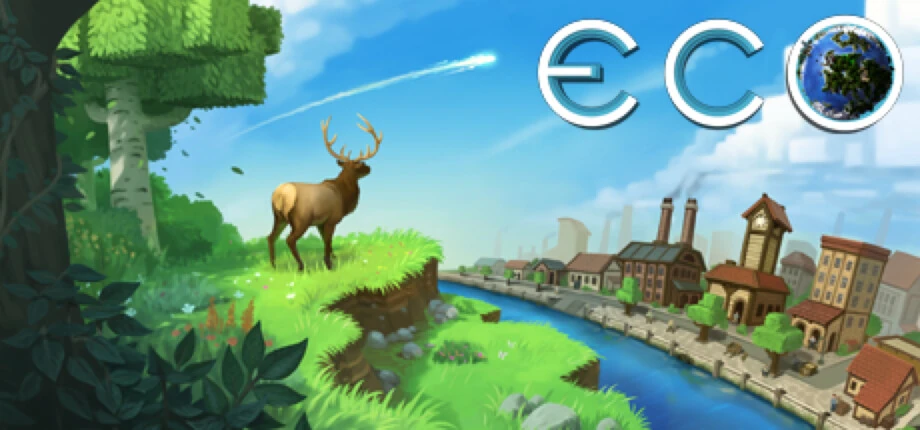
Build a civilisation that has to stop a meteor without destroying its own planet. Run Strange Loop Games’ Eco server for your community, with your own laws, government and economy.
- The official Eco Server, updated to Eco 14.2
- Laws, elections, taxes and a player-run economy
- Version branches to stay on an older release
- Windows, Linux and macOS server builds
- PortsGameServerPort and WebServerPort in Configs/Network.eco.
- 3000 game · 3001 web
- Players
- Set with MaxConnections
- Server software
- Eco Server (Steam app 739590)
- Version
- 14.2 (October 2026)
- Config
- .eco files in Configs
- Platforms
- Server on Windows, Linux, macOS
What players build
- Laws
- Elections
- Economy
- Pollution
- Recycling
- Meteor
Game facts from the Eco Steam page and update notes, SteamCMD app data and the LinuxGSM server files, checked in October 2026.
- DDoS protection
- 20 game server locations
Eco plans are being prepared
Tell us your expected player count, world size and mods, and our team will reply with the options. Or open a ticket and we will let you know when the plans are online.
How much RAM does an Eco server need?
Eco simulates a whole ecosystem: plants, animals and pollution keep changing even when nobody is online. World size and players decide the load.
Find your size
| Feature |
Small group
Up to 10 players
|
Recommended Community
Up to 30 players
|
Large world
Up to 60 players or a larger map
|
|---|---|---|---|
| Memory (RAM)Working memory for the world, the players and every mod. Leave headroom: memory use grows as players explore. | 4 GB | 8 GB | 12 GB+ |
| CPU coresThe ecosystem simulation runs alongside the players, so several fast cores help. | 2 | 3–4 | 4+ |
| Disk spaceRoom for the game files, the world and its backups, plus updates and mods. | 15 GB | 20 GB | 30 GB |
| World sizeA larger world gives more room to build but adds more ecosystem to simulate. | Default | Default or larger | Larger |
| Typical use | Friends on a fresh world | A community with laws and a market | A large public server |
-
Small group
Up to 10 players
- Memory (RAM)Working memory for the world, the players and every mod. Leave headroom: memory use grows as players explore.
- 4 GB
- CPU coresThe ecosystem simulation runs alongside the players, so several fast cores help.
- 2
- Disk spaceRoom for the game files, the world and its backups, plus updates and mods.
- 15 GB
- World sizeA larger world gives more room to build but adds more ecosystem to simulate.
- Default
- Typical use
- Friends on a fresh world
-
Recommended
Community
Up to 30 players
- Memory (RAM)Working memory for the world, the players and every mod. Leave headroom: memory use grows as players explore.
- 8 GB
- CPU coresThe ecosystem simulation runs alongside the players, so several fast cores help.
- 3–4
- Disk spaceRoom for the game files, the world and its backups, plus updates and mods.
- 20 GB
- World sizeA larger world gives more room to build but adds more ecosystem to simulate.
- Default or larger
- Typical use
- A community with laws and a market
-
Large world
Up to 60 players or a larger map
- Memory (RAM)Working memory for the world, the players and every mod. Leave headroom: memory use grows as players explore.
- 12 GB+
- CPU coresThe ecosystem simulation runs alongside the players, so several fast cores help.
- 4+
- Disk spaceRoom for the game files, the world and its backups, plus updates and mods.
- 30 GB
- World sizeA larger world gives more room to build but adds more ecosystem to simulate.
- Larger
- Typical use
- A large public server
Strange Loop Games’ server hardware guide was not reachable for this review; these starting points are conservative and grow with world age and size.
Network settings, versions and mods
The Eco Server keeps its settings in .eco files in the Configs folder, so every rule of your world is in one place.
Network.eco
Server description, password, public listing, the game and web ports, MaxConnections and UPnP.
Version branches
The server has Steam branches for earlier releases such as 13.0.4, so a world can stay on a version until your players are ready.
ModKit
Strange Loop Games publishes a ModKit with example mods; mods change blocks, recipes and server behaviour.
Government and laws
Players propose and vote on laws, elect leaders and set taxes; the game enforces ratified laws automatically.
A living planet
Pollution, recycling and the ecosystem respond to what players do, and since Eco 14 garbage has to be dealt with too.
Windows, Linux and macOS
The Eco Server is free on Steam for all three; on Linux an install script sets up the prerequisites.
Set up your Eco server
Four steps from the first choice to the first law.
-
Pick a size
Choose with the table above; plan for the world your community will have built after a few weeks.
-
Pick a location
Choose the one closest to most of your players from our 20 game server locations.
-
Set up Network.eco
Write the description, set a password if the world is private and choose whether it appears in the public list.
-
Invite your citizens
Players find the server in the in-game list or join with its address.
Other game servers you might like
Frequently asked questions
Which ports does an Eco server use?
Port 3000 for the game and 3001 for the server’s web server by default. Both are set in Configs/Network.eco as GameServerPort and WebServerPort.
How do I set the player limit?
With MaxConnections in Network.eco. Plan memory and CPU for the number of players you expect, because every citizen adds buildings and activity to the simulation.
How do I make the server private?
Set a Password in Network.eco and set PublicServer to false so the world does not appear in the public server list.
What is new in Eco 14?
Update 14, released in August 2026, added garbage and recycling, reworked pollution and modules. Update 14.1 improved storage management and 14.2, in October 2026, added economic statistics and better stores.
Can I keep my world on an older version?
Yes. The Eco Server has Steam branches for earlier releases, for example 13.0.4 and 14.1.1. Players must run the same version as the server to join.
Can I use mods?
Yes. Strange Loop Games publishes a ModKit with example mods that add blocks, recipes and commands. Eco is in Early Access, and its store page lists fuller community mod support and an API for the full release.
Does the server run on Linux?
Yes. The Eco Server is published for Windows, Linux and macOS. On Linux it comes with an install script for the prerequisites.
What happens when the meteor arrives?
Each world starts with a meteor on its way, 30 days out by default. Players have to develop the technology to stop it without damaging the ecosystem they live in.
Ready to found a civilisation?
Tell us your player count and plans, and we will help you pick the right Eco server.