






Natural Selection 2 server hosting for your community
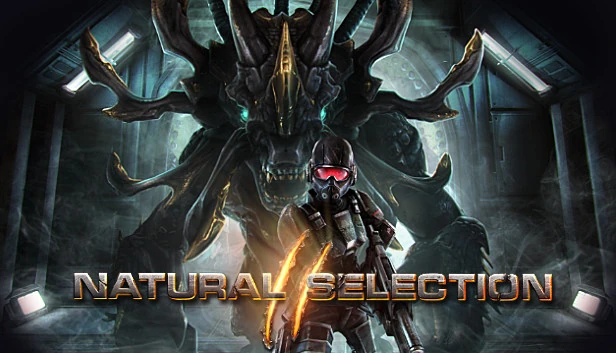
Keep the fight between Marines and Kharaa going on your own NS2 server. Each team has a commander, the game code is open, and Workshop mods let your community shape the rules.
- Natural Selection 2 dedicated server (Windows and Linux)
- Built-in web admin
- Steam Workshop mods
- Player and spectator limits
- Players
- Set with -limit, spectators with -speclimit
- PortsThe game port is set with -port; the web admin port with -webport.
- 27015 UDP · web admin 8080 TCP
- Server
- NS2 Dedicated Server, Windows and Linux
- Mods
- Steam Workshop
- Version
- Build 344 (final update)
- Admin
- Web admin in the browser
Options
- Marines
- Kharaa
- Commander
- Web admin
- Steam Workshop
- Spectator slots
Game facts from Unknown Worlds’ Steam news and store page and the Steam app data, cross-checked with LinuxGSM, in October 2026.
- DDoS protection
- 20 game server locations
Natural Selection 2 plans are being prepared
Tell us your player and spectator limits and the mods you run, and our team will reply with the options. Or open a ticket and we will let you know when the plans are online.
How much does an NS2 server need?
NS2 servers depend on a fast CPU: the player count and late-game structures decide the load.
Find your size
| Feature |
Small
Up to 12 players
|
Recommended Standard
Up to 20 players
|
Large
Up to 24 players with mods
|
|---|---|---|---|
| Memory (RAM)Working memory for the world, the players and every mod. Leave headroom: memory use grows as players explore. | 2 GB | 3 GB | 4 GB |
| CPU coresThe game simulates the world mostly on one thread, so fast cores matter more than many cores. | 2 | 2–3 | 3–4 |
| Disk spaceRoom for the game files, the world and its backups, plus updates and mods. | 20 GB | 20 GB | 25 GB |
| Spectator slotsSpectators do not play but still connect; set their number with -speclimit. | 0–2 | 2–4 | 4+ |
| Typical use | Friends and bot matches | A public server | A modded community server |
-
Small
Up to 12 players
- Memory (RAM)Working memory for the world, the players and every mod. Leave headroom: memory use grows as players explore.
- 2 GB
- CPU coresThe game simulates the world mostly on one thread, so fast cores matter more than many cores.
- 2
- Disk spaceRoom for the game files, the world and its backups, plus updates and mods.
- 20 GB
- Spectator slotsSpectators do not play but still connect; set their number with -speclimit.
- 0–2
- Typical use
- Friends and bot matches
-
Recommended
Standard
Up to 20 players
- Memory (RAM)Working memory for the world, the players and every mod. Leave headroom: memory use grows as players explore.
- 3 GB
- CPU coresThe game simulates the world mostly on one thread, so fast cores matter more than many cores.
- 2–3
- Disk spaceRoom for the game files, the world and its backups, plus updates and mods.
- 20 GB
- Spectator slotsSpectators do not play but still connect; set their number with -speclimit.
- 2–4
- Typical use
- A public server
-
Large
Up to 24 players with mods
- Memory (RAM)Working memory for the world, the players and every mod. Leave headroom: memory use grows as players explore.
- 4 GB
- CPU coresThe game simulates the world mostly on one thread, so fast cores matter more than many cores.
- 3–4
- Disk spaceRoom for the game files, the world and its backups, plus updates and mods.
- 25 GB
- Spectator slotsSpectators do not play but still connect; set their number with -speclimit.
- 4+
- Typical use
- A modded community server
Unknown Worlds publishes no server hardware figures; these starting points are our estimate. LinuxGSM’s default limit of 20 players is a common starting point.
Web admin, mods and limits
What you can set on your own NS2 server.
Web admin
Start with -webadmin, a user name and password, and manage the server in a browser on the web port.
Workshop mods
NS2 ships with its development tools and open game code, and mods come from the Steam Workshop. The server keeps them in its mod storage folder.
Players and spectators
Set the player limit with -limit and the spectator slots with -speclimit.
Config folder
-config_path keeps the server’s configuration files in a folder of your choice.
Commander play
Each team has a commander who sees the battlefield from above, places structures, gathers resources and researches upgrades.
Set up your NS2 server
Four steps to your first round.
-
Pick your limits
Decide on players, spectators and mods, then pick a size from the table above.
-
Pick a location
Choose the one closest to your players from our 20 game server locations.
-
Set name and web admin
Give the server a name, a starting map and a password if you want one, and set the web admin user and password.
-
Join the fight
Players find the server in the in-game browser or add it with the address and port 27015.
Other game servers you might like
Frequently asked questions
Is Natural Selection 2 still updated?
No longer. Unknown Worlds ended active development in February 2023; the last update is build 344. The game is still on Steam, Unknown Worlds said it would keep hosting matched play servers, and community servers carry on.
Which ports does the server use?
The game port, 27015 UDP by default and set with -port, and the web admin port you set with -webport, commonly 8080 TCP.
Does the server run on Linux?
Yes. The NS2 Dedicated Server on Steam has Windows and Linux builds, while the game itself is for Windows.
How many players can join?
As many as you set with -limit, plus spectators with -speclimit. Twenty players is a common starting point; larger games need a faster CPU.
How do I use the web admin?
Start the server with -webadmin, -webuser, -webpassword and -webport, then open the server address and that port in a browser to manage players and maps.
Can I run mods?
Yes. NS2 has Steam Workshop support and ships with its development tools; the game code is open. The server stores the mods it runs in its mod storage folder.
Where are the server settings kept?
In the folder you pass with -config_path. Logs go to the folder set with -logdir and mods to the one set with -modstorage, which keeps everything easy to back up.
What is special about NS2’s gameplay?
It mixes a shooter with real-time strategy: Marines fight Kharaa aliens, and each team has a commander who sees the map from above, places structures, gathers resources and researches upgrades.
Ready to take command?
Tell us your limits and mods, and we will help you pick the right Natural Selection 2 server.