






ASKA server hosting for your Viking village
Give your tribe a village that is there whenever one of you logs in. The official ASKA Dedicated Server keeps your world online for up to four Vikings, and it can keep the seasons turning while everyone is away.
- Official ASKA Dedicated Server tool
- Up to 4 players, the limit set by the developers
- Pause when empty, or keep the world alive
- Listed in the server browser with your login token
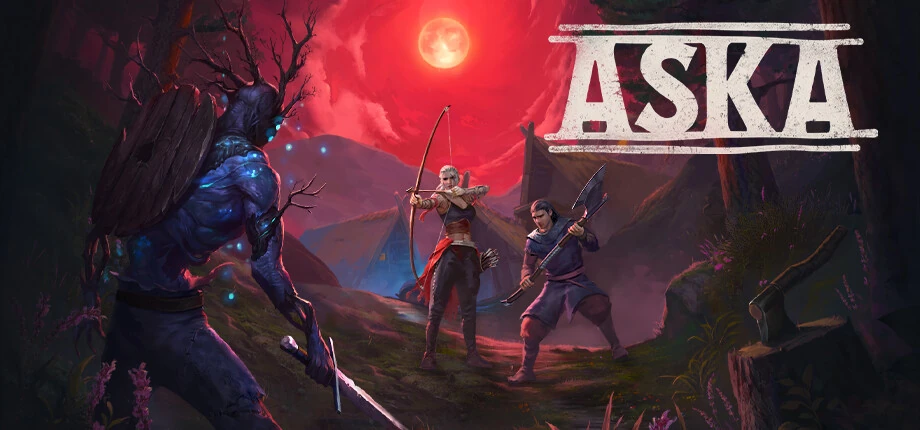
- PlayersASKA is played solo or with up to three friends; the limit is part of the game, not a server setting.
- Up to 4
- PortsGame port and Steam query port as set in the server’s settings file; the values are written there at the first start.
- 7777 · 27015
- Login tokenCreate the token for the game’s app ID 1898300, not for the server tool. Without it, the server stays out of the public list.
- Steam GSLT for app 1898300
- Empty server
- Pauses unless kept alive
- Server
- ASKA Dedicated Server (Windows)
- Version
- Early Access, The Great Hall & Feasts update
Options
- Keep world alive
- Password
- GSLT
- Server browser
- SteamCMD
Game facts from Sand Sailor Studio’s Steam announcements, the Steam store and SteamCMD data, checked in October 2026.
- DDoS protection
- 20 game server locations
ASKA plans are being prepared
Tell us how many Vikings will play and whether the world should keep running while you are away, and our team will reply with the options. Or open a ticket and we will let you know when the plans are online.
How much RAM does an ASKA server need?
ASKA allows four players, so the size of your village and whether the world keeps running while empty decide the load.
Find your size
| Feature |
Pair
Up to 2 players
|
Recommended Full tribe
Up to 4 players
|
Always on
Up to 4 players, world kept alive
|
|---|---|---|---|
| Memory (RAM)Working memory for the world, the players and every mod. Leave headroom: memory use grows as players explore. | 6 GB | 8 GB | 10 GB |
| CPU coresA kept-alive world simulates villagers, seasons and raids around the clock, so it keeps the CPU busy even with nobody online. | 2 | 2–3 | 3–4 |
| Disk spaceRoom for the game files, the world and its backups, plus updates and mods. | 20 GB | 20 GB | 25 GB |
| Keep world aliveOff by default: the world pauses when nobody is online. On: the village keeps running between sessions. | Off | Off | On |
| Typical use | Two friends starting a village | A full tribe of four | A village that lives on between sessions |
-
Pair
Up to 2 players
- Memory (RAM)Working memory for the world, the players and every mod. Leave headroom: memory use grows as players explore.
- 6 GB
- CPU coresA kept-alive world simulates villagers, seasons and raids around the clock, so it keeps the CPU busy even with nobody online.
- 2
- Disk spaceRoom for the game files, the world and its backups, plus updates and mods.
- 20 GB
- Keep world aliveOff by default: the world pauses when nobody is online. On: the village keeps running between sessions.
- Off
- Typical use
- Two friends starting a village
-
Recommended
Full tribe
Up to 4 players
- Memory (RAM)Working memory for the world, the players and every mod. Leave headroom: memory use grows as players explore.
- 8 GB
- CPU coresA kept-alive world simulates villagers, seasons and raids around the clock, so it keeps the CPU busy even with nobody online.
- 2–3
- Disk spaceRoom for the game files, the world and its backups, plus updates and mods.
- 20 GB
- Keep world aliveOff by default: the world pauses when nobody is online. On: the village keeps running between sessions.
- Off
- Typical use
- A full tribe of four
-
Always on
Up to 4 players, world kept alive
- Memory (RAM)Working memory for the world, the players and every mod. Leave headroom: memory use grows as players explore.
- 10 GB
- CPU coresA kept-alive world simulates villagers, seasons and raids around the clock, so it keeps the CPU busy even with nobody online.
- 3–4
- Disk spaceRoom for the game files, the world and its backups, plus updates and mods.
- 25 GB
- Keep world aliveOff by default: the world pauses when nobody is online. On: the village keeps running between sessions.
- On
- Typical use
- A village that lives on between sessions
Sand Sailor Studio publishes no server hardware figures. These starting points are derived from the 10 GB install and the four-player limit; large villages need more memory.
Your village, always ready
What the ASKA Dedicated Server does, and the settings your tribe should know.
Official server tool
ASKA Dedicated Server is a free tool on Steam (app 3246670) that runs your world as AskaServer.exe on Windows.
Pause or keep running
The world pauses when nobody is online. Turn on keep server world alive if the village should keep living between sessions.
Login token
A Steam Game Server Login Token for app 1898300 lists the server publicly. Keep it private and replace it if it leaks.
Password
Set a password in the settings file so only your tribe can join.
Frequent updates
ASKA gets regular hotfixes and major updates. Update the server together with the game so everyone can join.
Set up your ASKA server
Four steps from the first longhouse to your whole tribe online.
-
Choose how the world runs
Decide whether the world pauses when empty or keeps running, then pick the size from the table above.
-
Pick a location
Choose the one closest to your tribe from our 20 game server locations.
-
Add your token and password
Create a login token for app 1898300 and set the server name and password in the settings file.
-
Join your village
Find the server by name in ASKA’s server browser and enter the password.
Other game servers you might like
Frequently asked questions
How many players can join an ASKA server?
Up to four. ASKA is played solo or with up to three friends, and the dedicated server cannot raise that limit.
Does the world keep running when nobody is online?
Not by default: the developers note that the server pauses when nobody is online. Turn on keep server world alive in the settings file if your village should keep living between sessions.
Do I need a Steam login token for ASKA?
For a public listing, yes. Create a Game Server Login Token on Steam’s game server account page for the game’s app ID 1898300, not the server tool’s 3246670, and add it to the settings file. Without a token the server stays out of the public list.
Which ports does an ASKA server use?
A game port and a Steam query port, 7777 and 27015 in the default settings file. The values are written to the file at the first start.
Where are the server settings?
In a plain text file next to the server program, created at the first start, with one setting per line: server name, password, ports, login token and keep server world alive, among others.
When did ASKA get dedicated servers?
Sand Sailor Studio opened dedicated servers in November 2024. The server tool is free on Steam as ASKA Dedicated Server.
Is ASKA still in Early Access?
Yes. ASKA has been in Early Access since June 2024; its latest major update, The Great Hall & Feasts, came out in August 2026, followed by several hotfixes.
Do the game and server need the same version?
Yes. After an ASKA update, update the server as well so players can join again.
Does the ASKA server run on Linux?
The server tool launches AskaServer.exe, a Windows program. Running it on Linux needs community workarounds.
Ready to raise your village?
Tell us how your tribe plays, and we will help you pick the right ASKA server.