






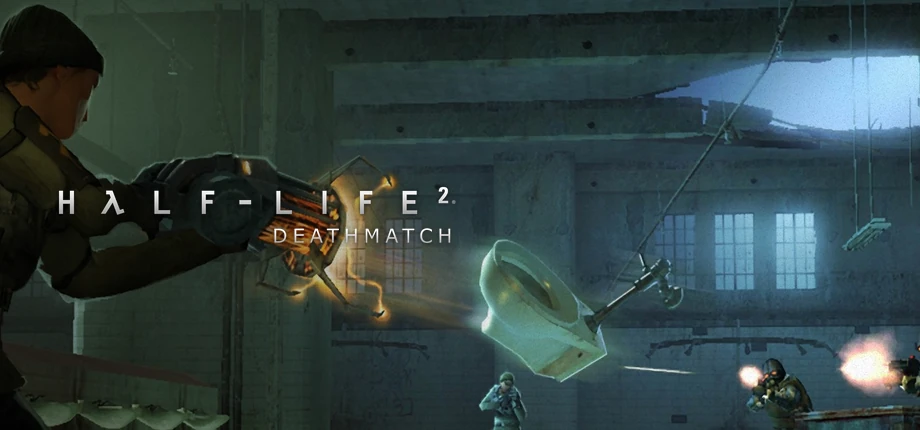
Half-Life 2: Deathmatch server hosting
Bring back the Gravity Gun arena on a server that stays online. Run free-for-all or Combine against Resistance, set your map cycle and add SourceMod plugins. Valve’s February 2025 update raised the slot limit to 100 and added 64-bit binaries.
- Dedicated server from SteamCMD (app 232370)
- Up to 100 slots since the February 2025 update
- Deathmatch and Team Deathmatch
- Metamod:Source and SourceMod plugins
- SlotsThe February 2025 update raised the limit to 100 and the default from 2 to 24 slots.
- Up to 100 (+maxplayers)
- PortGame traffic uses UDP; the remote console (RCON) uses TCP on the same port.
- 27015 UDP · TCP (RCON)
- Game modes
- Deathmatch · Team Deathmatch
- Server build
- 64-bit, updated August 2026
- Plugins
- Metamod:Source · SourceMod
- Anti-cheat
- VAC
Options
- Deathmatch
- Team Deathmatch
- SourceMod
- SourceTV
- Custom maps
- 64-bit
Game facts from Valve’s Steam update notes, SteamCMD data and the AlliedModders wiki, checked in October 2026.
- DDoS protection
- ٢٠ game server locations
Half-Life 2: Deathmatch plans are being prepared
Tell us your slot count, maps and plugins, and our team will reply with the options. Or open a ticket and we will let you know when the plans are online.
How big should a Half-Life 2: Deathmatch server be?
HL2DM is a light Source engine server. Slots, physics-heavy custom maps and plugins decide the load, and single-core speed matters most.
Find your size
| Feature |
Small
Up to 16 slots
|
Recommended Standard
Up to 32 slots
|
Large
Up to 64 slots
|
Chaos
Up to 100 slots
|
|---|---|---|---|---|
| Memory (RAM)Memory for the map, the physics objects and every connected player. | 1 GB | 2 GB | 3 GB | 4 GB |
| CPU coresThe game simulates the world mostly on one thread, so fast cores matter more than many cores. | 1–2 | 2 | 2–3 | 3–4 |
| Disk spaceRoom for the game files, custom maps, SourceTV demos and logs. | 10 GB | 10 GB | 15 GB | 15 GB |
| MapsStock maps such as dm_lockdown are light; large custom maps with many physics props need more CPU. | Stock maps | Stock and custom maps | Custom map rotation | Large maps only |
| Typical use | Friends and small matches | A community deathmatch server | Busy public server with plugins | Events and 100-player chaos |
-
Small
Up to 16 slots
- Memory (RAM)Memory for the map, the physics objects and every connected player.
- 1 GB
- CPU coresThe game simulates the world mostly on one thread, so fast cores matter more than many cores.
- 1–2
- Disk spaceRoom for the game files, custom maps, SourceTV demos and logs.
- 10 GB
- MapsStock maps such as dm_lockdown are light; large custom maps with many physics props need more CPU.
- Stock maps
- Typical use
- Friends and small matches
-
Recommended
Standard
Up to 32 slots
- Memory (RAM)Memory for the map, the physics objects and every connected player.
- 2 GB
- CPU coresThe game simulates the world mostly on one thread, so fast cores matter more than many cores.
- 2
- Disk spaceRoom for the game files, custom maps, SourceTV demos and logs.
- 10 GB
- MapsStock maps such as dm_lockdown are light; large custom maps with many physics props need more CPU.
- Stock and custom maps
- Typical use
- A community deathmatch server
-
Large
Up to 64 slots
- Memory (RAM)Memory for the map, the physics objects and every connected player.
- 3 GB
- CPU coresThe game simulates the world mostly on one thread, so fast cores matter more than many cores.
- 2–3
- Disk spaceRoom for the game files, custom maps, SourceTV demos and logs.
- 15 GB
- MapsStock maps such as dm_lockdown are light; large custom maps with many physics props need more CPU.
- Custom map rotation
- Typical use
- Busy public server with plugins
-
Chaos
Up to 100 slots
- Memory (RAM)Memory for the map, the physics objects and every connected player.
- 4 GB
- CPU coresThe game simulates the world mostly on one thread, so fast cores matter more than many cores.
- 3–4
- Disk spaceRoom for the game files, custom maps, SourceTV demos and logs.
- 15 GB
- MapsStock maps such as dm_lockdown are light; large custom maps with many physics props need more CPU.
- Large maps only
- Typical use
- Events and 100-player chaos
Valve publishes no server hardware figures; these starting points follow common practice for Source engine servers. Many plugins and very high slot counts need faster cores.
Game modes, maps and plugins
A classic Source engine server: your rules in server.cfg, your maps in the map cycle and SourceMod for everything else.
Deathmatch or teams
Set mp_teamplay 0 for free-for-all or 1 for Combine against Resistance, with mp_fraglimit and mp_timelimit for the round rules.
Map cycle
List your maps in mapcycle.txt; the server falls back to mapcycle_default.txt when that file is missing.
Custom maps
Put custom .bsp maps in the hl2mp/maps folder and turn on sv_allowdownload so players receive missing maps when they join.
SourceMod and Metamod:Source
Both list HL2DM as a supported game. Add admin menus, map votes, stats and anti-spawn-kill plugins.
Gravity Gun rules
Since February 2025, hl2mp_allow_pickup lets players pick up objects without the Gravity Gun.
64-bit server
64-bit binaries start automatically on a 64-bit system, and Steam Networking support arrived with the same update.
Set up your HL2DM server
Four steps from an empty server to the first frag.
-
Pick slots and mode
Choose a size from the table above, then free-for-all or team deathmatch.
-
Pick a location
Choose the one closest to your players from our ٢٠ game server locations.
-
Edit server.cfg
Set hostname, rcon_password, mp_teamplay and your limits in hl2mp/cfg/server.cfg, then build your mapcycle.txt.
-
Join the arena
Find the server in the in-game browser or type connect with the address in the console.
Other game servers you might like
Frequently asked questions
How many players can join an HL2DM server?
Up to 100 since Valve’s February 2025 update, which also raised the default from 2 to 24 slots. Set the slots with +maxplayers on the command line.
Which port does the server use?
27015 by default: UDP for the game and server queries, TCP on the same port for the remote console. Change it with -port when you start the server.
How do I switch between deathmatch and team deathmatch?
Set mp_teamplay 0 for free-for-all deathmatch or mp_teamplay 1 for Combine against Resistance, then change the map. mp_fraglimit and mp_timelimit end each round.
How do I add custom maps?
Copy the .bsp files into hl2mp/maps, add them to mapcycle.txt and set sv_allowdownload 1 so players without the map can download it when they join.
Can I use SourceMod on HL2DM?
Yes. Metamod:Source and SourceMod both list Half-Life 2: Deathmatch as a supported game, so admin menus, map votes and community plugins work.
How do I manage the server remotely?
Set rcon_password in server.cfg. In the game console, type rcon_password with the password, then send commands with rcon, for example rcon changelevel dm_lockdown.
Is the HL2DM server 64-bit?
Yes. Since February 2025, 64-bit binaries start automatically on systems with a 64-bit operating system.
Does Valve still update Half-Life 2: Deathmatch?
Yes. The latest update arrived in August 2026 with security and stability fixes and a Linux fix for custom maps. Update the server with SteamCMD app 232370 after each patch.
How do I lock the server with a password?
Set sv_password in server.cfg. Players then enter the password when they connect; leave it empty for a public server.
Ready to load the Gravity Gun?
Tell us your slots, maps and plugins, and we will help you pick the right HL2DM server.