






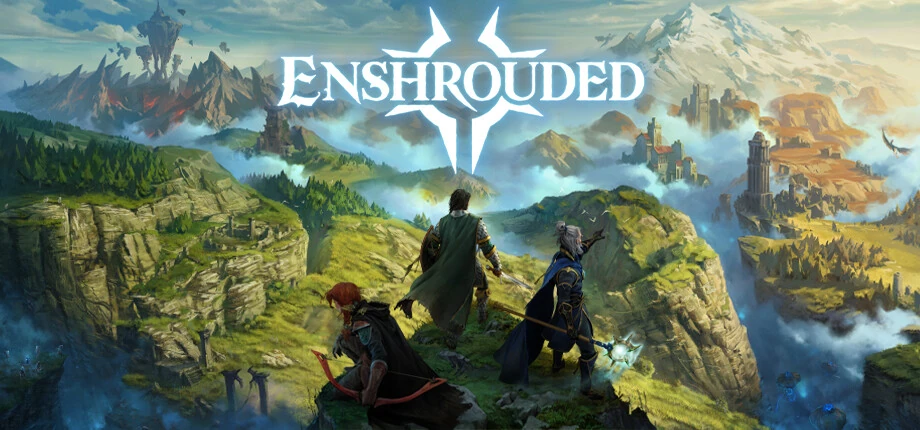
Enshrouded server hosting for your co-op group
Explore Embervale with up to 16 players on a server that stays online when the host logs off. Give friends and guests their own roles, and pick a preset or tune every gameplay setting.
- Up to 16 players (slotCount)
- User groups: Admin, Friend, Guest and Visitor
- Presets from Relaxed to Survival, or Custom
- Sized from Keen Games’ official server specs
- Players
- Up to 16 (slotCount)
- PortThe server uses its query port plus Steam’s standard ports, over IPv4 only.
- 15637 (queryPort) + Steam ports
- CPUKeen Games’ specs: 6 cores and 12 threads at 3.2 GHz for 4–6 players, 8 cores and 16 threads at 3.7 GHz for 16 players, both with 16 GB of memory.
- 6 cores / 12 threads for 4–6 players
- Settings
- enshrouded_server.json
- VersionEnshrouded leaves early access with version 1.0 on 15 October 2026, the day it also comes to PlayStation 5.
- 1.0 on 15 October 2026
- Mods
- No official mod support
Gameplay presets
- Default
- Relaxed
- Hard
- Survival
- Custom
Game facts from Keen Games’ official server support articles and Enshrouded news, checked in October 2026.
- DDoS protection
- 20 game server locations
Enshrouded plans are being prepared
Tell us your group size and preferred location, and our team will reply with the options. Or open a ticket and we will let you know when the plans are online.
How big should an Enshrouded server be?
CPU and upload bandwidth grow with the player count. Keen Games publishes official specs for 4–6 and for 16 players.
Find your size
| Feature |
Recommended Small group
Up to 6 players
|
Full server
Up to 16 players
|
|---|---|---|
| Memory (RAM)Keen Games specifies 16 GB for both sizes; the server process itself stays around 6 GB. | 16 GB | 16 GB |
| CPU coresCores and threads at 3.2 GHz for up to 6 players and at 3.7 GHz for 16 players. | 6 cores / 12 threads | 8 cores / 16 threads |
| Disk space30 GB free on an SSD, plus about 100 MB for each additional world and room for backups. | 40 GB | 50 GB |
| UploadAbout 2 Mbit/s per player, according to Keen Games. | 12 Mbit/s | 32 Mbit/s |
| Typical use | Friends and small groups | A full server of 16 |
-
Recommended
Small group
Up to 6 players
- Memory (RAM)Keen Games specifies 16 GB for both sizes; the server process itself stays around 6 GB.
- 16 GB
- CPU coresCores and threads at 3.2 GHz for up to 6 players and at 3.7 GHz for 16 players.
- 6 cores / 12 threads
- Disk space30 GB free on an SSD, plus about 100 MB for each additional world and room for backups.
- 40 GB
- UploadAbout 2 Mbit/s per player, according to Keen Games.
- 12 Mbit/s
- Typical use
- Friends and small groups
-
Full server
Up to 16 players
- Memory (RAM)Keen Games specifies 16 GB for both sizes; the server process itself stays around 6 GB.
- 16 GB
- CPU coresCores and threads at 3.2 GHz for up to 6 players and at 3.7 GHz for 16 players.
- 8 cores / 16 threads
- Disk space30 GB free on an SSD, plus about 100 MB for each additional world and room for backups.
- 50 GB
- UploadAbout 2 Mbit/s per player, according to Keen Games.
- 32 Mbit/s
- Typical use
- A full server of 16
Sizes follow Keen Games’ official server specifications. Every extra slot adds load, so set slotCount to the players you expect.
Roles, presets and saves
Everything is set in enshrouded_server.json, next to the server.
User groups
Admin, Friend, Guest and Visitor, each with its own password and rights to kick, open chests, edit or extend bases.
Gameplay presets
Default, Relaxed, Hard or Survival; the gameSettings values only apply with the Custom preset.
Saves and backups
The server saves every five minutes and keeps ten rotating backups you can roll back to.
Bring your world
Copy a local world from Saved Games\Enshrouded into the server’s savegame folder.
Characters stay with players
Character progress is stored on each player’s computer; the server keeps the world.
Voice and text chat
Turn on voice chat with proximity or global voice, and text chat, in the server settings.
Set up your Enshrouded server
Four steps to your first flame altar together.
-
Pick a size
Up to 6 or up to 16 players: use the table above.
-
Pick a location
Choose the one closest to your group from our 20 game server locations.
-
Set up enshrouded_server.json
Name the server, set a password for each user group, choose a preset and the slot count.
-
Join the server
Choose Join in the main menu and find the server in the browser, or add it to your Steam favorites with its address and query port.
Other game servers you might like
Frequently asked questions
How many players can join an Enshrouded server?
Up to 16. slotCount is 16 by default and accepts 1–16; every slot adds load on the server.
What hardware does Keen Games recommend?
For 4–6 players a 6-core, 12-thread CPU at 3.2 GHz and 16 GB of memory; for 16 players 8 cores and 16 threads at 3.7 GHz and 16 GB, with 30 GB free on an SSD. Plan about 2 Mbit/s of upload per player.
Which ports does the server use?
The query port, 15637 by default, plus Steam’s standard ports. The server uses IPv4 only.
How do passwords and roles work?
User groups replace the old single password. Each group, such as Admin, Friend, Guest or Visitor, has its own password and rights, and can reserve slots.
Why do my gameplay settings not apply?
The values under gameSettings only apply when gameSettingsPreset is set to Custom.
Is my character saved on the server?
No. Character progress is stored on each player’s computer; the server keeps the world.
Can I move my local world to the server?
Yes. Local saves are in Saved Games\Enshrouded, or in Steam’s userdata folder with Steam Cloud. Copy the world files into the server’s savegame folder while the server is stopped.
Can I use mods?
Enshrouded has no official mod support. Keen Games would like to add it but has made no promise.
When does Enshrouded leave early access?
Version 1.0 comes out on 15 October 2026, the same day as the PlayStation 5 release. Back up your world before the update.
Ready to explore Embervale together?
Tell us your group and location, and we will help you pick the right Enshrouded server.